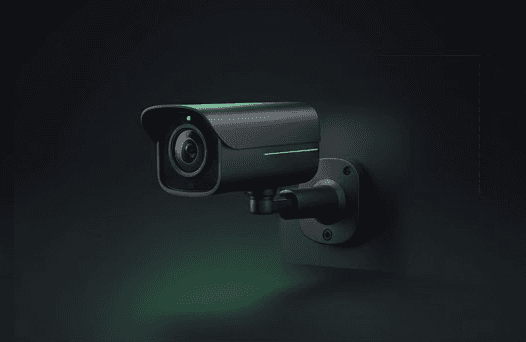
Arlo makes good cameras with one significant caveat: subscription costs. Without Arlo Secure, you get live view only — no recorded clips, no smart detection, no video history. That makes the hardware purchase just the beginning. This guide helps you pick the right Arlo model and understand the true cost of ownership.
Quick answer
- Best overall: Arlo Pro 5S 2K — dual-band WiFi, color night vision, best balance of features and price
- Best value: Arlo Essential Spotlight 2K (2nd Gen) — direct WiFi, no hub needed, lower entry price
- Best image quality: Arlo Ultra 2 — 4K resolution, requires SmartHub
- Best indoor: Arlo Essential Indoor — wired, privacy shutter, affordable
- Best doorbell: Arlo Video Doorbell 2K — square aspect ratio, direct WiFi
Arlo Pro 5S 2K — Best Overall
The Pro 5S is Arlo's flagship camera. It shoots in 2K HDR with a 160-degree field of view and connects to both 2.4GHz and 5GHz WiFi — the only Arlo camera with dual-band support. Color night vision uses an integrated spotlight. The magnetic mount makes repositioning easy.
Battery life runs 3-6 months depending on activity. A solar panel accessory extends this indefinitely in most climates. The camera works standalone (direct WiFi) or with a SmartHub for wired Ethernet backhaul.
The Pro 5S supports Alexa and Google Home. Apple HomeKit support on current Arlo wire-free cameras (Pro 4, Pro 5S, Ultra 2) has been inconsistent across firmware updates — verify current status on Arlo's compatibility page before buying if Apple Home integration is essential. Check current prices on Amazon.
Arlo Essential Spotlight 2K (2nd Gen) — Best Value
The Essential Spotlight is the entry-level outdoor Arlo camera. It records in 2K, includes a spotlight for color night vision, and connects directly to WiFi — no SmartHub needed. This simplifies setup significantly.
At roughly $100-130 per camera, it's the most affordable way into Arlo's ecosystem. Battery life is 4-6 months. The trade-off versus the Pro 5S: single-band WiFi (2.4GHz only), slightly narrower field of view, and no magnetic mount (screw mount only).
For most homes, the Essential is enough. The Pro 5S is better if you need dual-band WiFi or have challenging signal conditions. Check current prices on Amazon.
Arlo Ultra 2 — Best Image Quality
The Ultra 2 records in 4K HDR — the sharpest footage in Arlo's lineup. It includes a spotlight, 180-degree field of view, and requires the Arlo SmartHub for connectivity (Ethernet backhaul to your router, then wireless to cameras).
The SmartHub requirement adds complexity and cost but provides more reliable connectivity than direct WiFi, especially for multi-camera setups. Battery life is 3-6 months.
The Ultra 2 is overkill for most homes. The 4K resolution is genuinely sharper for facial details and license plates, but the Pro 5S's 2K is adequate for most security use cases. Buy the Ultra 2 if image detail is your priority and you don't mind the SmartHub. Check current prices on Amazon.
Arlo Secure: The Subscription Question
Without Arlo Secure, every Arlo camera gives you live view only — no recorded clips, no smart detection, no activity zones. This makes the subscription functionally mandatory.
| Plan | Cost | What you get |
|---|---|---|
| No subscription | Free | Live view only |
| Arlo Secure (per camera) | $8/month | 30-day video history, smart alerts, activity zones |
| Arlo Secure (unlimited cameras) | $13/month | Same features for all cameras on your account |
For a single camera, Arlo Secure costs $96/year. For 3+ cameras, the unlimited plan at $156/year is the better deal. Factor this into your total cost of ownership — a $200 camera with a $96/year subscription costs $488 over two years.
If subscription costs are a dealbreaker, consider cameras without subscriptions like Eufy, which stores footage locally at no ongoing cost.
Which Arlo Camera Should You Buy?
Single camera, front door or driveway: Arlo Pro 5S — best image quality and dual-band WiFi handles challenging placement.
Multi-camera system on a budget: Arlo Essential Spotlight 2K kits — lowest per-camera cost, direct WiFi keeps setup simple.
Maximum detail for identification: Arlo Ultra 2 — 4K for readable faces and license plates.
Indoor monitoring: Arlo Essential Indoor — wired power, privacy shutter, no battery management.
For Arlo connectivity issues, see our Arlo offline troubleshooting guide. For comparing Arlo against other brands, check our wireless camera comparison.
FAQ
Do Arlo cameras work without WiFi? No. All Arlo cameras require WiFi for alerts, cloud storage, and live view. Without WiFi, the camera is non-functional.
Can I mix Arlo camera models? Yes. All current Arlo cameras work together under one Arlo account and one Arlo Secure subscription. You can mix Pro 5S, Essential, Ultra 2, and Indoor cameras.
Do Arlo cameras support Apple HomeKit? Support has been inconsistent across firmware updates on current wire-free models (Pro 4, Pro 5S, Ultra 2). Some legacy models (Arlo Q, Arlo Baby — both discontinued) had HomeKit Secure Video, but the current lineup's Apple Home integration is limited. Check Arlo's compatibility page for your specific model before buying if Apple Home is a must.
How long do Arlo batteries last in cold weather? Expect 20-40% reduction below freezing. Arlo cameras pause charging below 32°F (0°C) as a battery safety measure. In very cold climates, consider hardwired power or bring cameras inside to charge.