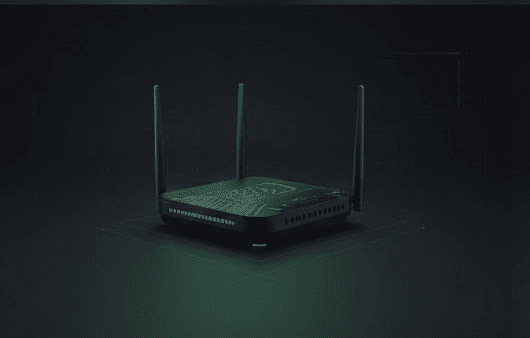
Here's a frustration many people experience: they buy a few smart home devices—a video doorbell, some smart lights, a thermostat, a few smart plugs—and suddenly their WiFi becomes unstable. Devices disconnect randomly. The doorbell video stream freezes. Automations fail for no obvious reason. The router works fine for laptops and phones, but struggles with smart home devices.
This isn't a quirk. It's physics and engineering colliding with IoT reality. Smart home devices operate on 2.4GHz WiFi, not the faster 5GHz that your laptop prefers. A typical smart home might have 30–50 connected devices, all competing for bandwidth on the same 2.4GHz channels. This congestion doesn't happen with traditional home routers, which were designed for a handful of devices, not dozens.
A mesh WiFi system solves this not through raw power, but through coverage, device management, and intelligence. The best mesh systems for smart homes understand IoT device patterns, have stronger 2.4GHz radios, and let you isolate IoT traffic from your main network. This guide explains what matters when choosing mesh WiFi for a smart home and recommends systems that actually handle the load.
Why Standard Routers Fail with Smart Homes
A typical home router sits in one room—usually a hallway closet or behind an entertainment center—and broadcasts WiFi in all directions. This works fine for phones and laptops that move around and have good WiFi receivers. But smart home devices are different.
A video doorbell mounted on your front porch is 50+ feet from the router, often through walls. A camera in the backyard is even further away. Smart locks on side doors, outdoor plugs in the garage, thermostats in bedrooms—these devices are positioned by necessity, not WiFi convenience. They also have weaker antennas than modern laptops and phones. And they're using 2.4GHz, which has worse range and is more congested than 5GHz.
Add 30, 40, or 50 devices all trying to use the same 2.4GHz channels, and the router becomes overwhelmed. It can't service all the requests. Devices drop off. The doorbell misses motion alerts. Automations timeout.
A mesh WiFi system places multiple access points throughout your home, stronger 2.4GHz radios in each unit, and intelligent routing to manage device load. This isn't about speed—it's about reliability and coverage in the corners where smart devices actually live.
Key Criteria for Smart Home Mesh WiFi
2.4GHz Radio Quality Matters More Than Total Speed
WiFi speed measurements (600 Mbps, WiFi 6, WiFi 6E) refer to 5GHz performance. For smart homes, 2.4GHz is more important. The best mesh systems for IoT have quality 2.4GHz radios with good antenna design and dedicated channels. Google Nest WiFi Pro and Eero models prioritize 2.4GHz performance specifically because they anticipate IoT device load.
Device Count and Backhaul
How many devices can your mesh system handle? Some claim 100+, others 64. For most homes, 60 devices is plenty. But if you're adding cameras, smart switches, plugs, lights, and more, device count matters. Look at the specifications. Also consider backhaul—how the mesh units communicate with each other. Dedicated backhaul (a separate channel for mesh communication) is better than shared backhaul, but not always necessary in small-to-medium homes.
IoT Network Isolation / Guest Network
This is a security and performance win. The best mesh systems let you create a separate network for smart home devices. Your phones and laptops stay on the main network, while doorbells, cameras, and plugs operate on an isolated IoT network. This prevents a compromised smart plug from accessing your laptop, and it ensures smart devices don't compete with work-from-home video calls for bandwidth.
Ecosystem Integration and Smart Home Support
If you're a Google Home household, Google Nest WiFi Pro is the obvious choice. It integrates directly with Google Home and includes a Thread border router, which matters for Matter-compatible devices. Eero integrates with Alexa. If you care about HomeKit, check compatibility. Most mesh systems work with all major assistants, but integration quality varies.
Thread and Matter Support
Thread is a low-power mesh network specifically for smart home devices. Matter is the unified smart home standard that major platforms now support. Google Nest WiFi Pro has Thread built in. Eero doesn't natively, but updates may change this. If you're buying now, give a slight preference to Thread-capable systems — they'll serve as border routers for your Matter devices.
The Best Mesh WiFi Systems for Smart Homes
Amazon Eero 6+ — Best for Most Smart Homes
The Eero 6+ is the best mesh system for most people building a smart home. It's affordable ($100–150 for a three-unit set depending on sales), designed with IoT in mind, and has strong integration with Alexa, which many smart home users already own.
The Eero 6+ has dual-band (2.4GHz and 5GHz) coverage with emphasis on 2.4GHz stability. It supports 100+ devices, which is overkill for most homes but means you'll never hit a ceiling. Setup is simple—plug in the main unit, open the app, follow a few steps, and you're done. Eero's app is also cleaner than many competitors for both setup and ongoing management.
A key advantage: Eero integrates with Alexa seamlessly. If someone needs to pause the WiFi or check who's connected, Alexa can do it. For Alexa households, this integration is a genuine convenience.
Eero 6+ isn't WiFi 6E (that's the Max 7, below), so it's technically WiFi 6. In practice, this doesn't matter for smart home IoT devices, which don't need the speed. You're paying for coverage and reliability, not peak performance.
Guest network and IoT network isolation are supported, which helps keep smart devices organized. The system is also upgradeable—start with a two-unit set and add a third later if you need more coverage.
For most people, Eero 6+ is the right answer. Check current prices on Amazon.
Google Nest WiFi Pro — Best for Google Home Setups
If you're heavily invested in Google Home and want the tightest possible integration, Google Nest WiFi Pro is the choice. It integrates directly with Google Home, shows which devices are connected, and lets you control WiFi from Google Home voice commands.
More importantly, Nest WiFi Pro includes a Thread border router built in. If you're using Thread-compatible smart devices (an increasing number of products), Thread provides faster, more reliable connections than WiFi for IoT devices. This makes it a Matter border router out of the box — a real advantage as more devices adopt Matter and Thread.
The system is WiFi 6E, which means access to additional 5GHz channels and the newer 6GHz spectrum. For smart homes specifically, this means less congestion on the 2.4GHz band because more of your devices can shift to less-crowded frequencies.
Setup is standard Google—open the Home app, scan a QR code, place the nodes. Integration with existing Google Home devices is seamless.
The downside: Nest WiFi Pro is the most expensive option on this list, typically $200–280 for a three-unit set. It's also less flexible if you ever want to switch ecosystems (e.g., you move to Alexa later). But if you're building a Google Home smart home and want the best integration with built-in Thread/Matter support, this is worth the cost.
Check current prices on Amazon.
TP-Link Deco XE75 — Best Performance Value
TP-Link's Deco line is underrated. The XE75 is WiFi 6E, tri-band (2.4GHz, 5GHz, and 6GHz), and costs less than Google Nest WiFi Pro while offering more WiFi speed and extra spectrum for devices.
Tri-band means the system has more channels available. While smart home IoT devices won't benefit from the 6GHz band, your laptops and phones get access to the newest, least-congested spectrum. This translates to faster WiFi where it matters.
Setup is straightforward. IoT network isolation is supported. The app is functional, if not as polished as Eero or Google. TP-Link supports both Alexa and Google Home.
The value proposition: you're getting WiFi 6E and tri-band coverage for less money than WiFi 6E competitors. If you care about overall home WiFi performance and don't need tight Google Home or Alexa integration, Deco XE75 is the smart choice. It's also reliable for handling smart home device load—TP-Link emphasizes IoT stability in this product line.
Check current prices on Amazon.
Eero Max 7 — Best for Large Homes and Heavy IoT Load
If you have a large home (3,000+ square feet), a lot of outdoor devices, or you're planning a really ambitious smart home with 80+ devices, Eero Max 7 is worth considering.
Max 7 is WiFi 7, tri-band, and costs significantly more ($400+ for a full set). It's not necessary for most homes. A three-unit Eero 6+ set covers most average homes perfectly well. But if you have a large house with lots of dead zones, outdoor buildings, or you're planning a smart home that's genuinely complex, Max 7's extra power and device capacity justifies the cost.
Eero Max 7 also integrates with Alexa and supports guest and IoT network isolation.
For the typical GearGuiders reader? Eero 6+ is the better value. But if you need to handle a heavy load or cover a very large space, Max 7 is the one. Check current prices on Amazon.
Smart Home WiFi Setup Practices
Once you have mesh WiFi in place, there are a few practices that maximize smart home stability:
Use a Separate IoT Network if Possible
Most mesh systems let you create a guest network specifically for smart devices. This isolates them from your personal devices and ensures a compromised plug doesn't give an attacker access to your laptop. It also prevents smart devices from consuming bandwidth needed for streaming or work.
Position Nodes for 2.4GHz Coverage
Think about where your smart devices actually are. Your video doorbell is on the front porch. Your backyard camera is far from the router. Place mesh nodes to cover these areas, not just the main living spaces where you use laptops.
Monitor 2.4GHz Channel Congestion
Many mesh apps show which channels your smart devices are using and whether there's interference. If you have neighbors with lots of WiFi networks, interference can happen. Some mesh systems automatically find the cleanest channels; others let you manually select. Understanding this helps troubleshoot connection drops.
Update Firmware Regularly
Mesh systems improve stability and add features through firmware updates. Check your app monthly to see if updates are available. Most modern systems auto-update, but it's worth confirming.
How Mesh WiFi Connects to the Broader Smart Home
WiFi is the foundation. Once you have reliable coverage, you can add video doorbells, cameras, and locks without worrying about connectivity. Check out our guide to outdoor security cameras if you're considering a multi-camera setup, or our video doorbell guide for specific doorbell recommendations that work well with strong mesh coverage.
Final Recommendation
For most smart homes, Amazon Eero 6+ is the best choice. It's affordable, reliable, and designed with IoT loads in mind. If you're deep in the Google ecosystem, Nest WiFi Pro is worth the premium for Thread support and integration. If you want WiFi 6E and value overall home WiFi performance, Deco XE75 delivers. And if you have a large home, Max 7 handles whatever load you throw at it.
Buy mesh WiFi specifically rated for smart home use, not just general WiFi speed. The difference in reliability is real.