Wyze cameras cost a fraction of what Ring, Arlo, and Nest charge, and they work well enough that the price difference is hard to justify for most people. The catch is knowing which Wyze models are genuinely good, which features require the Cam Plus subscription, and what you're giving up compared to premium brands.
Quick answer
- Best overall: Wyze Cam v4 — 2K, USB-C, excellent starlight sensor, under $35
- Best outdoor (wireless): Wyze Battery Cam Pro — 2.5K battery-powered, base station included
- Best for monitoring rooms: Wyze Cam Pan v3 — 360-degree pan and tilt
- Best doorbell: Wyze Video Doorbell v2 — 2K, hardwired or battery
Wyze Cam v4 — Best Overall
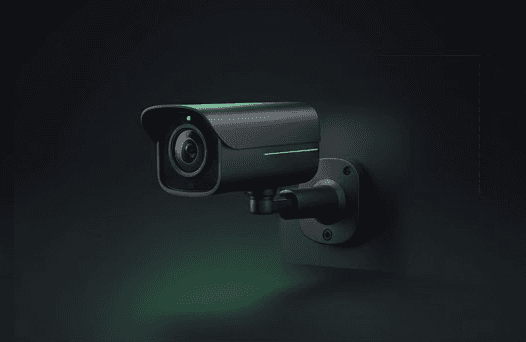
The Wyze Cam v4 is the best budget security camera available. Under $35, you get 2K resolution, a starlight sensor that produces remarkably good low-light footage, IP65 weatherproofing for indoor or outdoor use, and a USB-C power connection.
Local storage is free — insert a microSD card and the camera records continuously or on motion events without any subscription. Wyze Cam Plus ($2/month per camera or $10/month unlimited) adds person/vehicle/pet detection and 14-day cloud history. The free tier gives you motion alerts only (no AI filtering), which means more false triggers from trees and shadows.
Wyze works with Alexa and Google Home. It does not support Apple HomeKit. Check current prices on Amazon.
Wyze Battery Cam Pro — Best Wireless Option
The Wyze Battery Cam Pro is battery-powered for placement where there's no outlet. It uses a base station (included) that connects to your router and communicates wirelessly with the camera. Battery life runs 3-6 months.
The camera records event clips locally on the base station. Image quality is 2.5K (2688x1520) — actually higher resolution than the Cam v4. The trade-off for wireless freedom is event-only recording (no continuous recording option on battery).
For outdoor spots near a power outlet, the Wyze Cam v4 with a weatherproof power cable is a cheaper choice. The Battery Cam Pro is for locations where running power isn't practical and you want 2.5K resolution. Check current prices on Amazon.
Wyze Cam Plus: Worth It?
| Feature | Free | Cam Plus ($2/mo) |
|---|---|---|
| Motion alerts | Yes (all motion) | Yes (filtered by type) |
| Person detection | No | Yes |
| Vehicle/pet/package detection | No | Yes |
| Cloud video history | No | 14 days |
| Local microSD recording | Yes (continuous) | Yes (continuous) |
| Alert cooldown | 5 minutes | None |
For a single indoor camera, the free tier with microSD is perfectly adequate. For outdoor cameras where you want person-only alerts (avoiding tree/shadow triggers), Cam Plus is worth the $2/month.
Wyze Support: A Caveat
Wyze customer support is notoriously slow. Response times can take days, and phone support availability is limited. The Wyze community forums are often faster for troubleshooting. Factor this into your decision — if you need responsive support, Ring or Arlo are better choices despite higher costs.
For Wyze connectivity issues, see our Wyze WiFi troubleshooting guide. For comparing Wyze against Blink, check our Wyze vs Blink comparison.
FAQ
Does Wyze work with Apple HomeKit? No. Wyze cameras support Alexa and Google Home only. For HomeKit-compatible cameras, consider Arlo or Eufy.
Can Wyze cameras record 24/7? Yes — the Wyze Cam v4 supports continuous recording to a microSD card without any subscription. This is one of Wyze's biggest advantages over competitors that require cloud subscriptions for video history.
Are Wyze cameras secure? Wyze has had data security incidents in the past. They've improved security practices, but if data privacy is your primary concern, Eufy (local-only storage) or Apple HomeKit Secure Video (end-to-end encrypted) are more privacy-focused options.
What microSD card should I use? Use a high-endurance microSD card rated for surveillance use (Samsung PRO Endurance or SanDisk High Endurance). Standard cards wear out quickly under continuous recording. 128GB holds roughly 10-14 days of continuous 1080p footage.